
If you’re considering solar panels for your home, there’s a good chance you’ve come across Google Project Sunroof during your research. It’s a free tool that uses Google Earth imagery and machine learning to estimate how much sunlight hits your roof, and how much money solar panels could save you. Since its launch, it’s become one of the most popular starting points for homeowners exploring solar energy.
But how reliable are those estimates, really? Project Sunroof gives you a ballpark figure based on aerial data, local weather patterns, and utility rates. That’s useful for an initial gut check, but it doesn’t account for your roof’s actual condition, specific shading from nearby trees, or the type of roofing material you have. These details matter, and they can significantly shift the real cost and savings of a solar installation. At Sunflowers Energy LLC, we see this gap regularly when homeowners compare their Project Sunroof estimates to the results of an actual on-site inspection.
This article breaks down exactly how Google Project Sunroof works, what affects its accuracy, and where its limitations show up. We’ll also explain how to use the tool effectively and when it makes sense to go beyond the estimate with a professional assessment. Whether you’re just starting to explore solar or you’re ready to get a real quote, this guide will help you make sense of the numbers and take a confident next step.
What Google Project Sunroof tells you
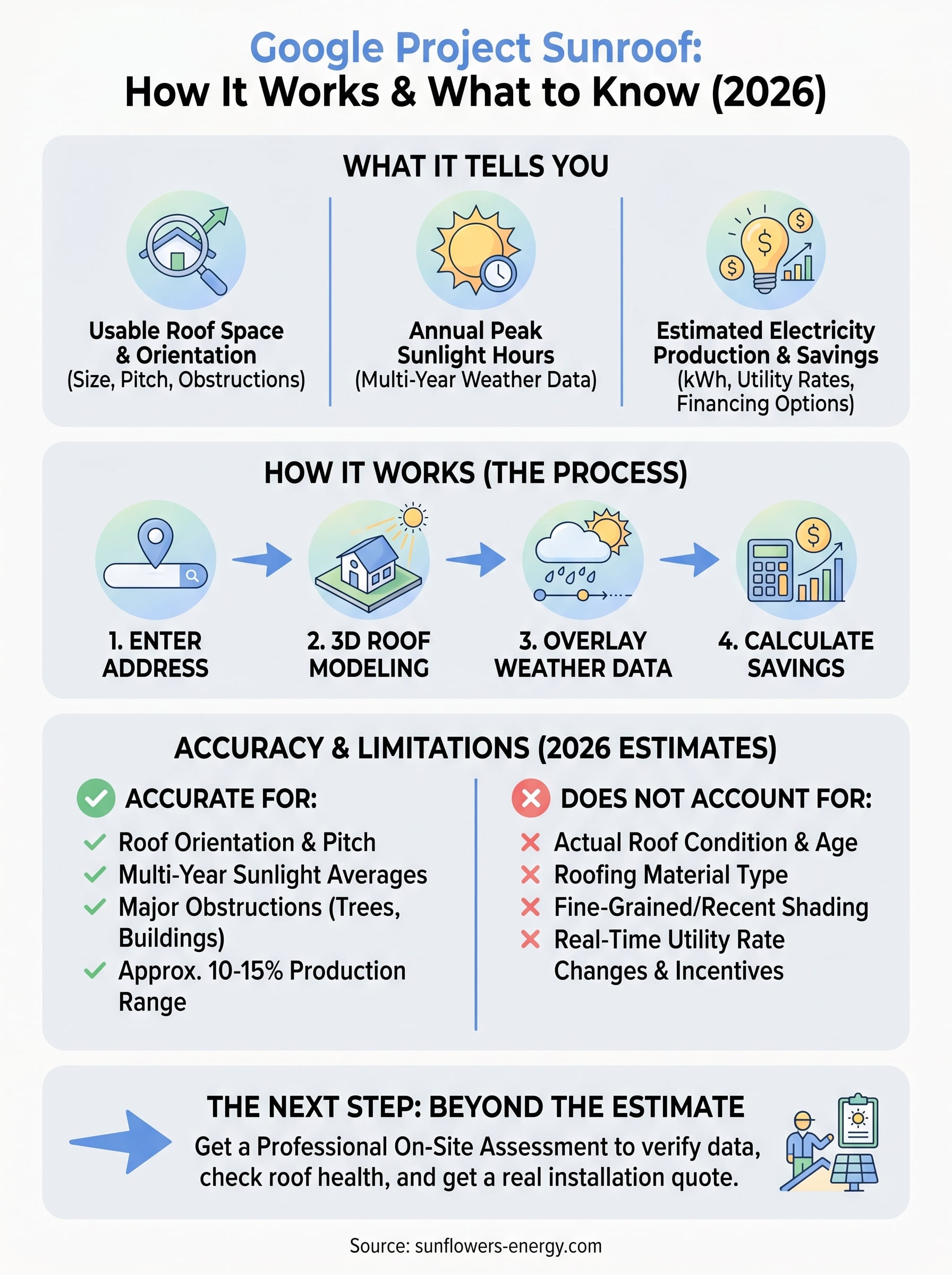
When you enter your address into Google Project Sunroof, the tool generates a report covering three core areas: how much usable roof space you have for solar panels, how many peak sunlight hours your roof receives annually, and what that translates to in estimated electricity production. These outputs come from a combination of aerial imagery, 3D modeling of your roof, and real weather data layered over your specific location.
Your roof’s solar potential score
Project Sunroof starts by analyzing your roof’s size, orientation, and pitch using high-resolution imagery from Google Earth. It then calculates how much of that surface receives direct sunlight throughout the year, accounting for nearby obstructions like trees or adjacent buildings that appear in the aerial data. The result is a usable roof area figure in square feet, which feeds directly into the system size recommendation.
The sunlight hours figure draws from over 10 years of weather data, giving you a reliable annual average rather than a reading from a single season.
From that usable area, the tool recommends a solar system size in kilowatts (kW) and estimates how many kilowatt-hours (kWh) that system would produce per year. You can adjust the system size manually to see how a smaller or larger installation changes the output numbers.
Your estimated savings breakdown
Once the production estimate is set, Project Sunroof pulls in your local utility rates to calculate what that electricity production is worth in dollar terms. It shows you an estimated monthly savings figure and a projection over 20 years based on current and anticipated energy costs in your area.
The tool also lets you compare three payment options: buying the system outright, taking a solar loan, or signing a lease or power purchase agreement (PPA). Each option displays a different savings trajectory, which helps you understand the financial tradeoffs before you contact any installer. These figures are estimates built on average data, not your specific electricity bill, actual roof condition, or the roofing material underneath. That distinction becomes important when you move from a rough estimate to a real installation plan.
Why homeowners use it
Most homeowners don’t want to call a solar company before they have a basic idea of whether solar even makes sense for their property. Google Project Sunroof fills that gap by giving you a real, data-driven starting point without any sales pressure or commitment. You can check your address, look at the numbers, and decide whether it’s worth exploring further, all in a few minutes.
A no-cost way to gauge solar viability
The tool is completely free, and you don’t need to create an account or hand over contact information to use it. That low barrier matters because most homeowners are still in the early research phase when they first look into solar. You can revisit the tool multiple times, adjust the system size, and watch the savings estimates shift without anyone following up with calls or emails.
This makes it one of the few genuinely pressure-free ways to explore residential solar before you’re ready to talk to an installer.
A starting point for real conversations
Once you have an estimate, you walk into any conversation with a solar contractor already knowing the basics. That context helps you ask sharper questions and recognize when a quote aligns with what the data suggests. You’re not starting from zero, which builds confidence throughout the buying process.
Before you contact anyone, Project Sunroof gives you a working understanding of:
- Your roof’s approximate solar potential
- A suggested system size in kilowatts
- A rough annual savings figure based on local utility rates
- The financial difference between buying, financing, or leasing
How to use Project Sunroof for your address
Using Google Project Sunroof takes less than five minutes. You go to the Project Sunroof website, type in your home address, and the tool pulls up your roof’s solar analysis automatically. No account needed, no contact information required, and no installer will receive your details unless you choose to request quotes at the end.
Step-by-step: Running your address through the tool
The process is straightforward once you land on the page. You enter your street address, and the tool loads an aerial view of your roof alongside the solar potential data. From there, you can review the estimated usable roof area and the recommended system size before moving to the savings section.
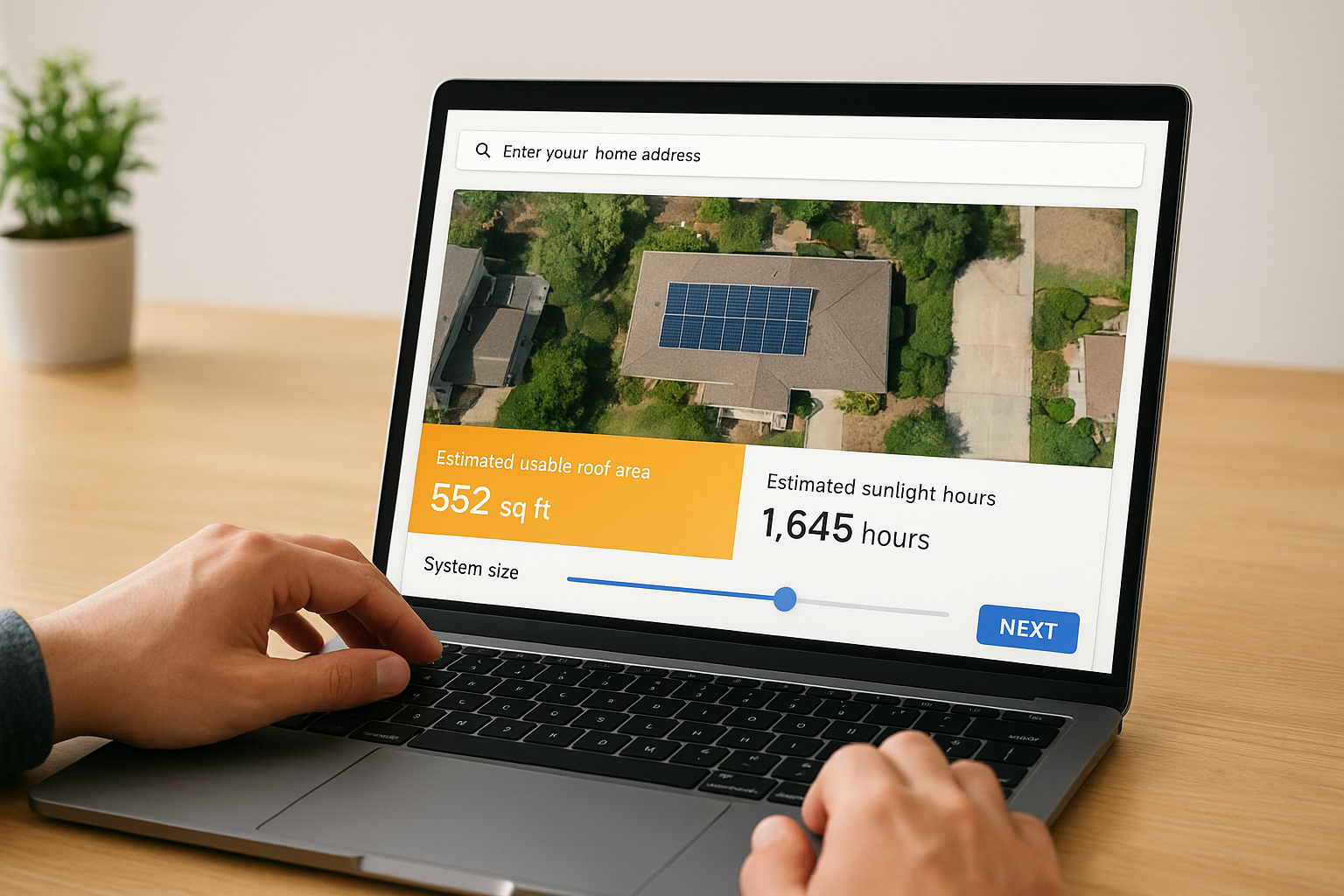
If your address doesn’t load correctly, try searching a slightly different version of it, such as using your full street name instead of an abbreviation.
Here’s what to do at each stage:
- Enter your home address in the search bar
- Review the roof area and sunlight hours estimate
- Adjust the system size slider to match your energy goals
- Enter your average monthly electricity bill for a more relevant savings figure
- Compare the buy, loan, and lease payment options
Adjusting the estimate for your situation
The default system size is a recommendation, not a fixed number. You can drag the slider to see how a smaller or larger system changes your estimated savings and payback period. Entering your actual monthly electricity bill instead of using the default figure also makes the savings projection more relevant to your household.
How Project Sunroof calculates solar potential
Google Project Sunroof runs on a combination of geographic, atmospheric, and financial data to build its estimates. The calculation isn’t a simple formula. It layers multiple data sources on top of each other to produce a figure that reflects your specific roof and location, not just a regional average.
3D roof modeling from aerial imagery
Project Sunroof uses high-resolution aerial imagery from Google Maps to build a 3D model of your roof. It identifies your roof’s surface area, slope, and orientation, which directly affect how much sunlight each section can capture. The model also detects nearby obstructions like trees and neighboring structures that appear in the aerial data and subtracts shaded areas from the usable roof total.
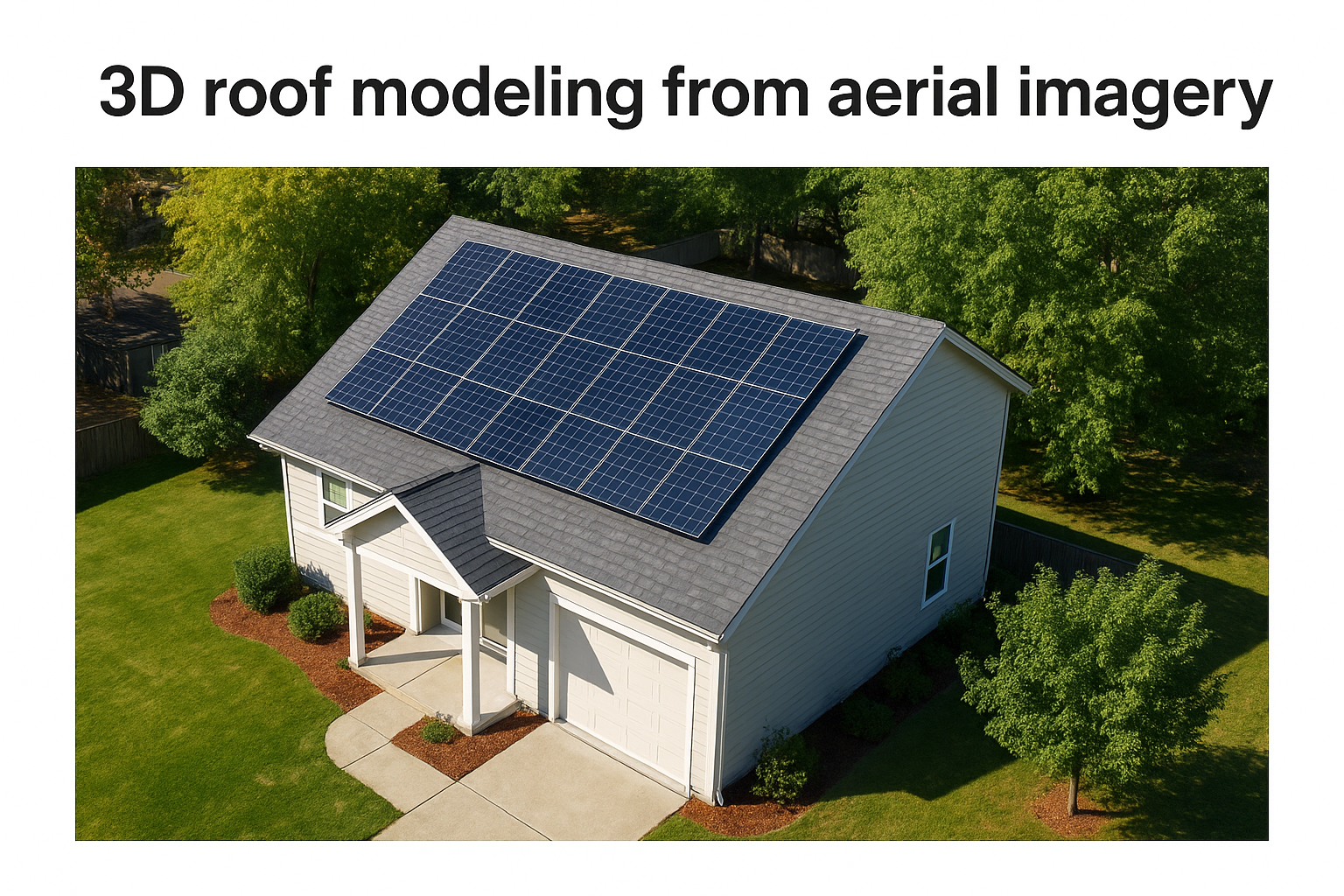
This 3D analysis is what separates Project Sunroof from basic solar calculators that only use zip code averages. Your actual roof geometry feeds the estimate, making the output more specific to your property than a generic regional figure.
Weather data and sunlight hours
Once the roof model is built, Project Sunroof overlays more than a decade of historical weather data collected for your location. This includes cloud cover patterns, seasonal sun angles, and average daily peak sunlight hours throughout the year. The tool uses this data to estimate how much solar energy your roof could realistically absorb across all four seasons.
The multi-year weather dataset smooths out unusually sunny or cloudy years, giving you a more stable long-term production estimate rather than a single-year snapshot.
From there, the tool applies standard solar panel efficiency ratings to convert sunlight hours into a kilowatt-hour production estimate for the system size it recommends.
How accurate is Project Sunroof in 2026
Google Project Sunroof delivers solid estimates for most homes in well-mapped urban and suburban areas. The 3D roof modeling and multi-year weather data make it more reliable than basic zip-code calculators, but it still works from aerial data alone. That creates real limits that show up once you move from the estimate to an actual installation plan.
Where it performs well
The tool handles rooftop orientation, pitch, and shading from nearby structures with reasonable accuracy for most properties. Studies comparing Project Sunroof’s solar production estimates to metered output from installed systems found the tool lands within 10 to 15 percent of actual production in most cases, which is a workable range for early-stage planning.
That accuracy window is good enough to help you decide whether solar is worth pursuing, but not precise enough to lock in a system size or sign a contract.
Where the estimates fall short
The tool has no visibility into your roof’s actual condition, age, or material. If your roof is nearing the end of its lifespan or has underlying damage, a solar installation could require a full replacement first, which changes your total cost significantly. Project Sunroof also misses fine-grained shading from new tree growth, nearby additions, or roofline features that don’t appear clearly in aerial imagery.
For your address, local utility rate changes and available incentives shift faster than the tool updates, so the 20-year savings projection can drift from current reality. A professional on-site assessment fills in all of these gaps before you commit.
Next steps for your roof and solar plan
Google Project Sunroof gives you a useful starting point, but the estimate only goes as far as aerial imagery and average data can take you. Before you commit to a system size or sign anything, you need a real roof inspection that accounts for your roof’s current condition, material, and any shading details the tool can’t detect from above. Those factors directly affect your true installation cost and savings potential.
Your next move is straightforward: get an on-site assessment from a qualified professional who can verify what the data suggests and flag any roofing work that needs to happen before panels go up. At Sunflowers Energy LLC, we provide free no-obligation inspections that cover both your roofing and solar potential in a single visit. That means you leave with accurate numbers, not just a ballpark figure.
Schedule your free roof and solar inspection today and get the complete picture before you make any decisions.

https://shorturl.fm/DsXyf